
Homey changelog
Changelog
The latest Homey releases and improvements.
By continuing, you agree to our T&C and Privacy Policy.
Showcase Your Firm with a Company Video
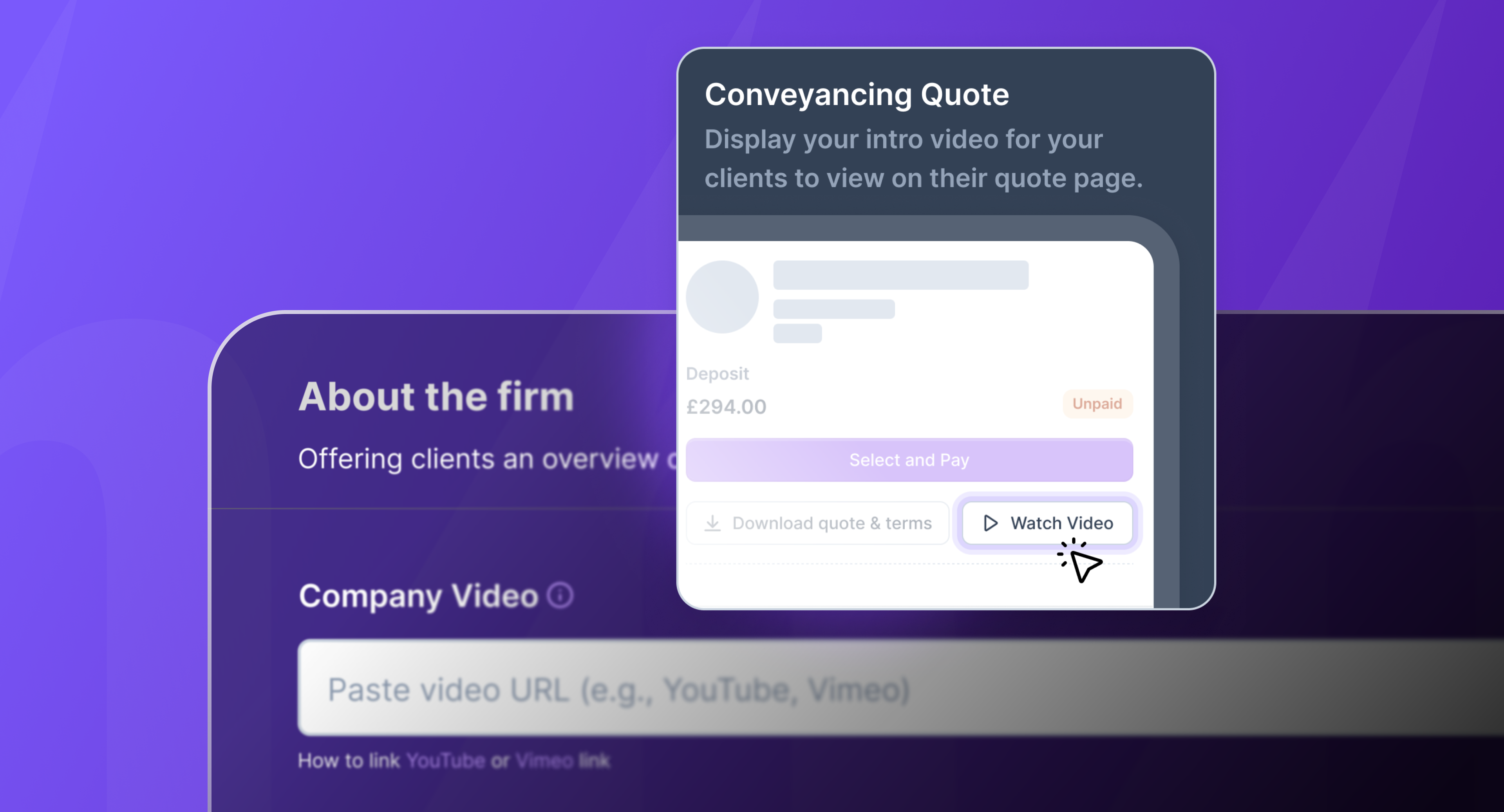
You can now add a company video to your Quote Page, giving clients a richer, more personal view of your firm during their decision-making process.
Add or update a YouTube or Vimeo video link in your Company Settings.
The video displays prominently next to your quotes, both on desktop and mobile.
If no video is set, the page remains clean and focused.
This helps you build trust and stand out from the competition.
Enhanced Filtering with Apply Button
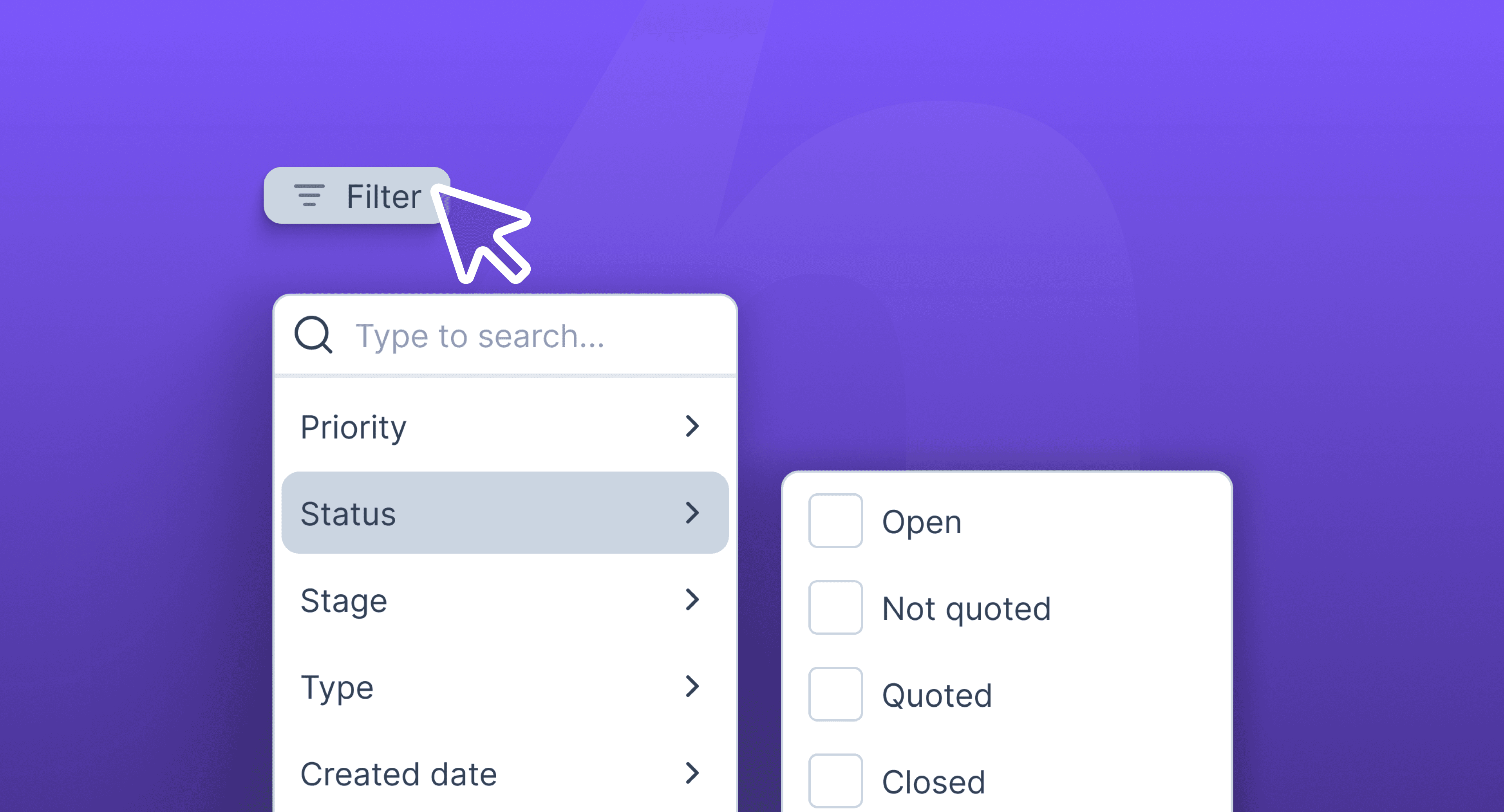
The Dashboard now features an improved filtering system based on user feedback, making data selection smoother and more efficient:
Select multiple filters, such as start and end dates, and apply them all at once using the new Apply button.
No more page refreshes, allowing for a seamless experience!
New "Clear Filters" button to reset all filters instantly.
This update makes filtering faster and more intuitive, empowering you to focus on your data with ease. Enjoy the streamlined experience!
Efficiently Manage Multiple Leads with Bulk Actions
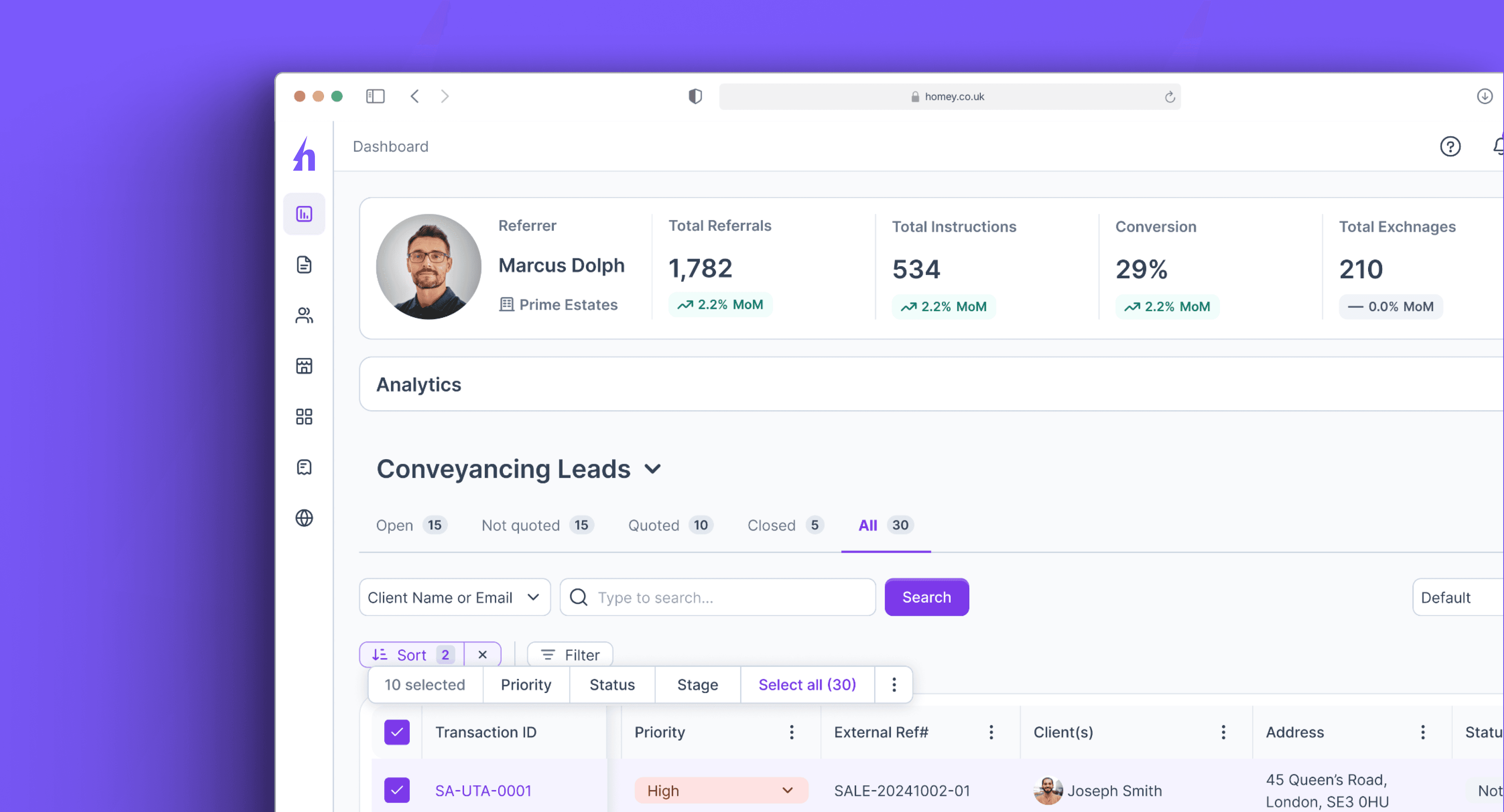
Select multiple leads via new checkboxes on the Conveyancing Leads Dashboard and update them simultaneously using a floating action bar.
This significantly speeds up lead management, reducing repetitive edits and ensuring consistency when updating details like status or priority.
This feature is now live for all users accessing the Conveyancing Leads Dashboard.
Client Care Letter (CCL) and Terms of Business (ToB) Configuration for Law Firms
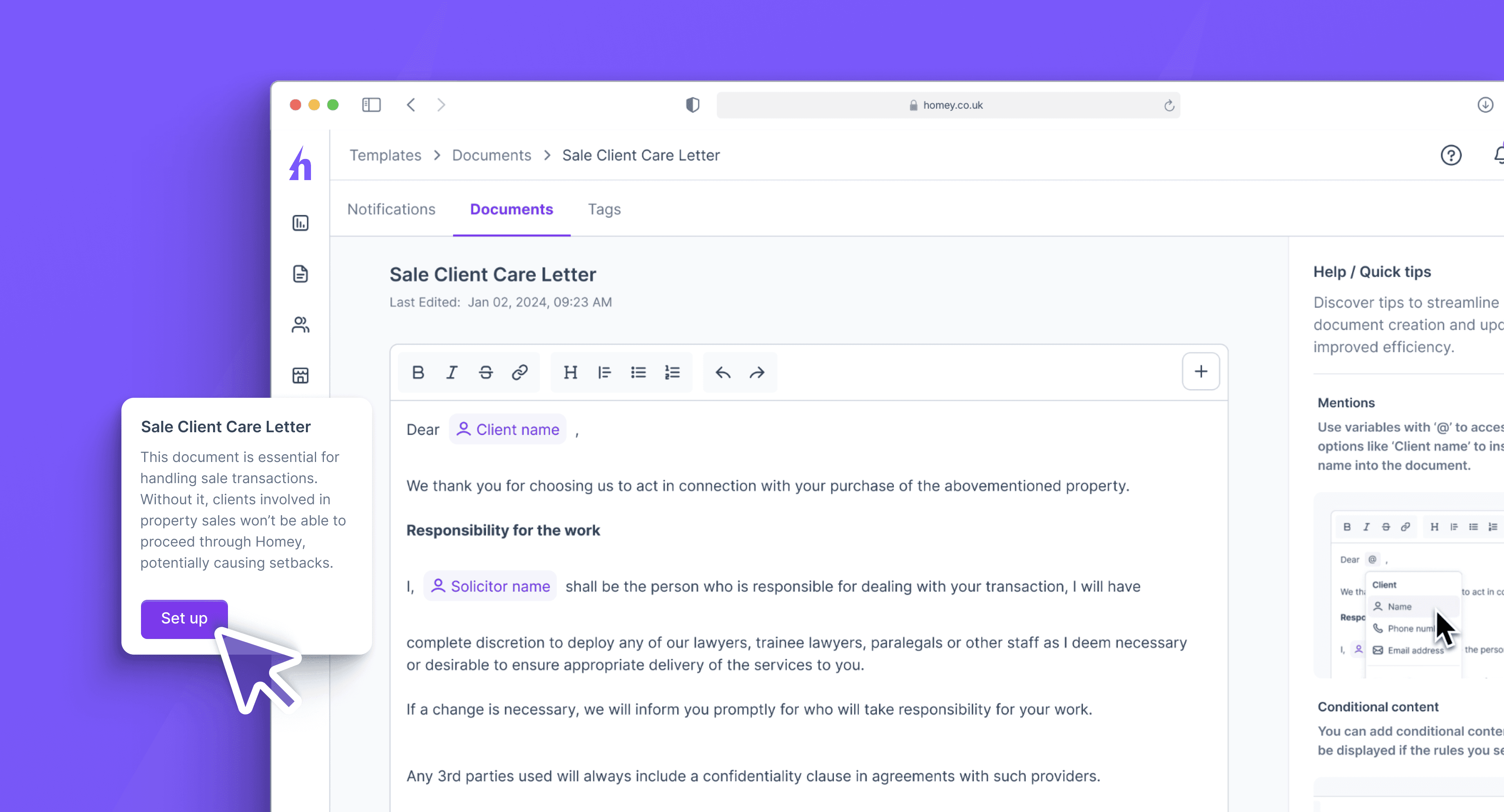
Users (solicitors) within law firms with the permission of Owner or Manager can now independently configure Client Care Letter (CCL) and Terms of Business (ToB) documents using the new editor found under Templates > Documents.
This empowers your firm to manage essential legal documents directly, speeding up setup and reducing reliance on support.
This feature is now available to all firms.
Pre-Instruction ID Checks for Specific Agents
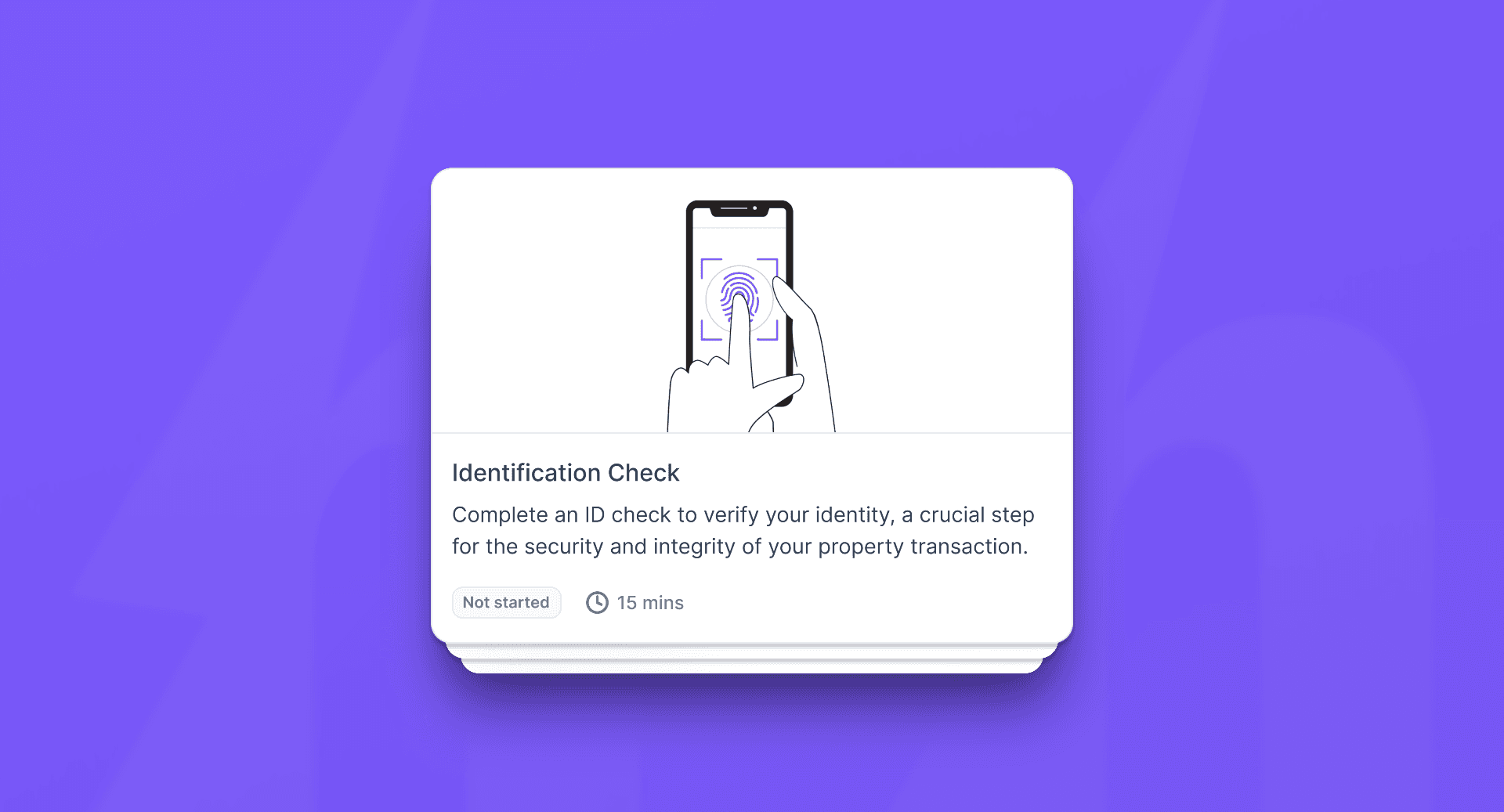
Administrators can now enable ID checks for specific agents (referrers) before they receive instructions, ensuring compliance and security prior to case instruction.
This update streamlines agent verification, making your workflow more secure and efficient.
Enhanced Control Over Your Property Searches with Search Indemnity
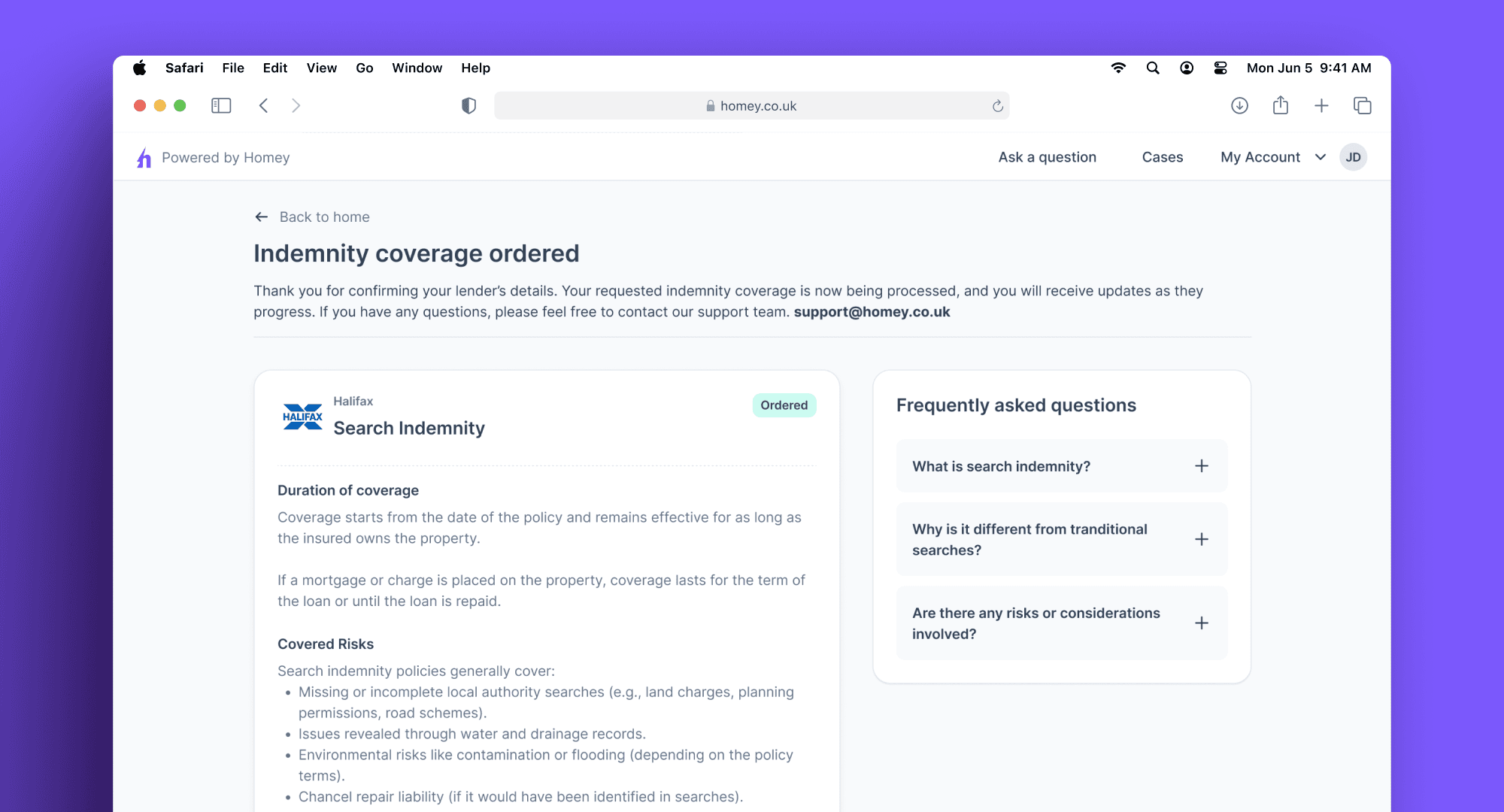
We’ve updated our platform to give you greater control over your conveyancing process.
What’s New?
You Control Search Timing: Property searches using Search Indemnity will no longer start automatically upon instruction. You can now initiate them when ready via a dedicated Searches Task, allowing you to ensure that all details are correct before proceeding.
Optional Feature: This enhanced control is optional. If you prefer, you can continue with indemnity searches being ordered automatically upon instruction.
Confirm Lender Details First: For those using the new task, you’ll confirm your mortgage lender details within it before we order the indemnity. This helps ensure accuracy and prevents unnecessary costs.
Clearer Process: Our streamlined task list offers step-by-step guidance to support you throughout your transaction.
Stay on Track: Timely email reminders prompt you to take key actions, helping your move progress smoothly.
This update provides greater flexibility, allowing you to manage search indemnity orders manually while retaining the option for automatic ordering if preferred.
Please note: This feature is optional and applies only to users ordering search indemnities. If you're using standard three-pack searches, your process on Homey remains unchanged, and searches will continue to be ordered automatically.
Enhanced Security Visibility with the New 2FA Adoption Dashboard
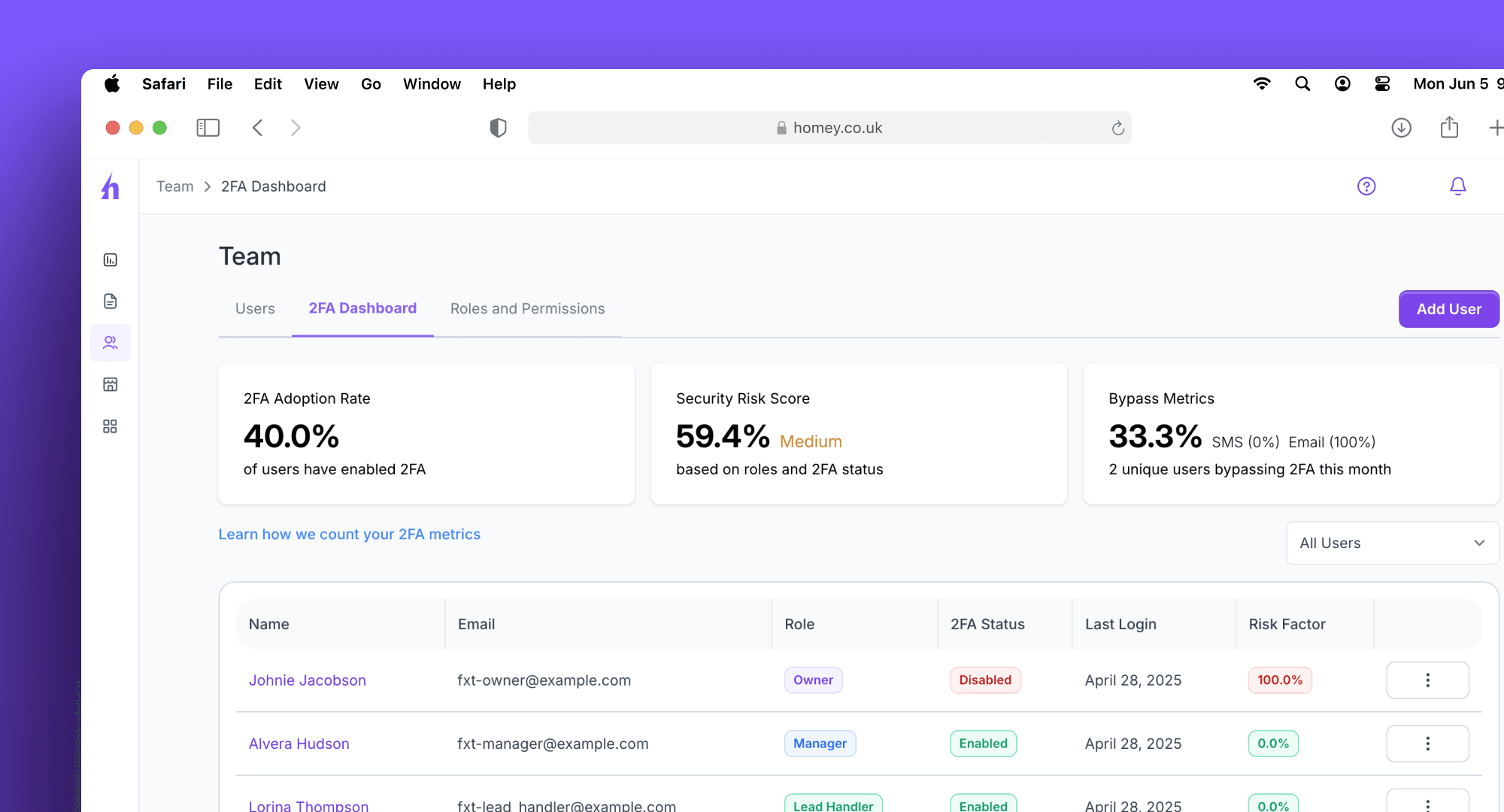
We are pleased to announce the launch of the new Two-Factor Authentication (2FA) Adoption Dashboard, designed specifically for organisation owners. This feature provides a comprehensive, real-time overview of 2FA adoption across your domain, offering enhanced visibility into your organisation's overall security status.
What’s New?
The 2FA Adoption Dashboard offers owners the insights needed to promote and strengthen security practices. Key features include:
Visualise 2FA Adoption: View a clear, at-a-glance summary of overall 2FA enablement within your organisation.
Identify Security Gaps: Quickly see the number and percentage of users who have not yet enabled 2FA.
Actionable User List: Access a simple list—including names and email addresses—of users who haven’t enabled 2FA, enabling targeted follow-up.
Domain-Specific Data: The dashboard displays data exclusively for your organisation, ensuring both privacy and relevance.
Important Note:
Activating Two-Factor Authentication (2FA) for users remains optional. As the owner, you retain the flexibility to decide if and when to implement this additional layer of security for your organisation.
Boost Your Security with New Location-Based Access Control!

Take control of your user access like never before! We're chuffed to announce the release of our new Location-Based Access Control feature, designed to give you unparalleled security and flexibility. Now, you can easily define exactly where your users are authorised to log in, adding an extra layer of protection to your sensitive data.
Key Benefits:
Geographic Precision: Restrict user logins to specific countries, minimising unauthorised access and potential security breaches.
Flexible Management: Whether you need to control access at the agency, law firm, or PMC level, our system adapts to your organisational structure. Manage access across your entire network or drill down to specific teams – the choice is yours!
Crystal-Clear Visibility: Gain valuable insights into user login activity with detailed access logs. Track timestamps, user IDs, login status, IP addresses, and originating countries, empowering you to monitor and audit access effectively. Filter logs to quickly find the information you need.
Robust and Reliable: Our system includes built-in validation to ensure accurate country code entries, reducing errors and streamlining your workflow.
Upgrade your security posture today with Location-Based Access Control. Contact our support team ([email protected]) to learn more and activate this powerful new feature!